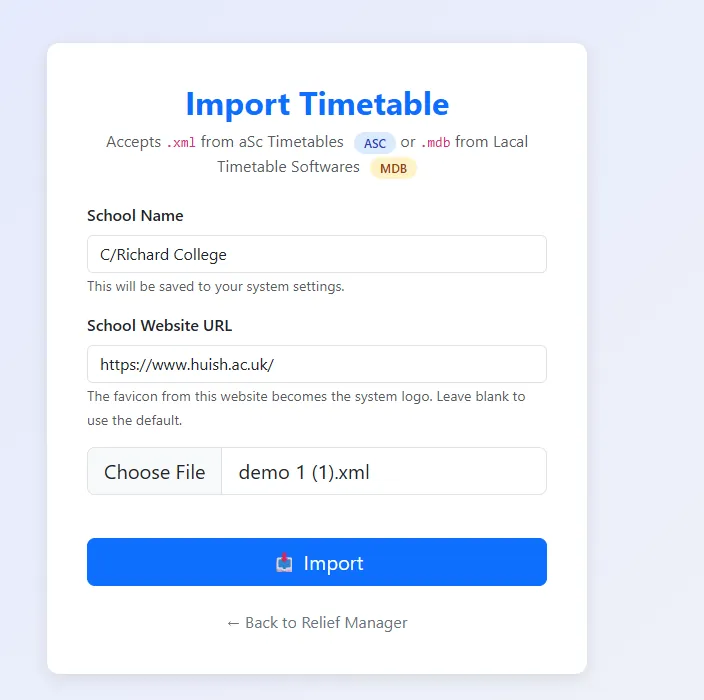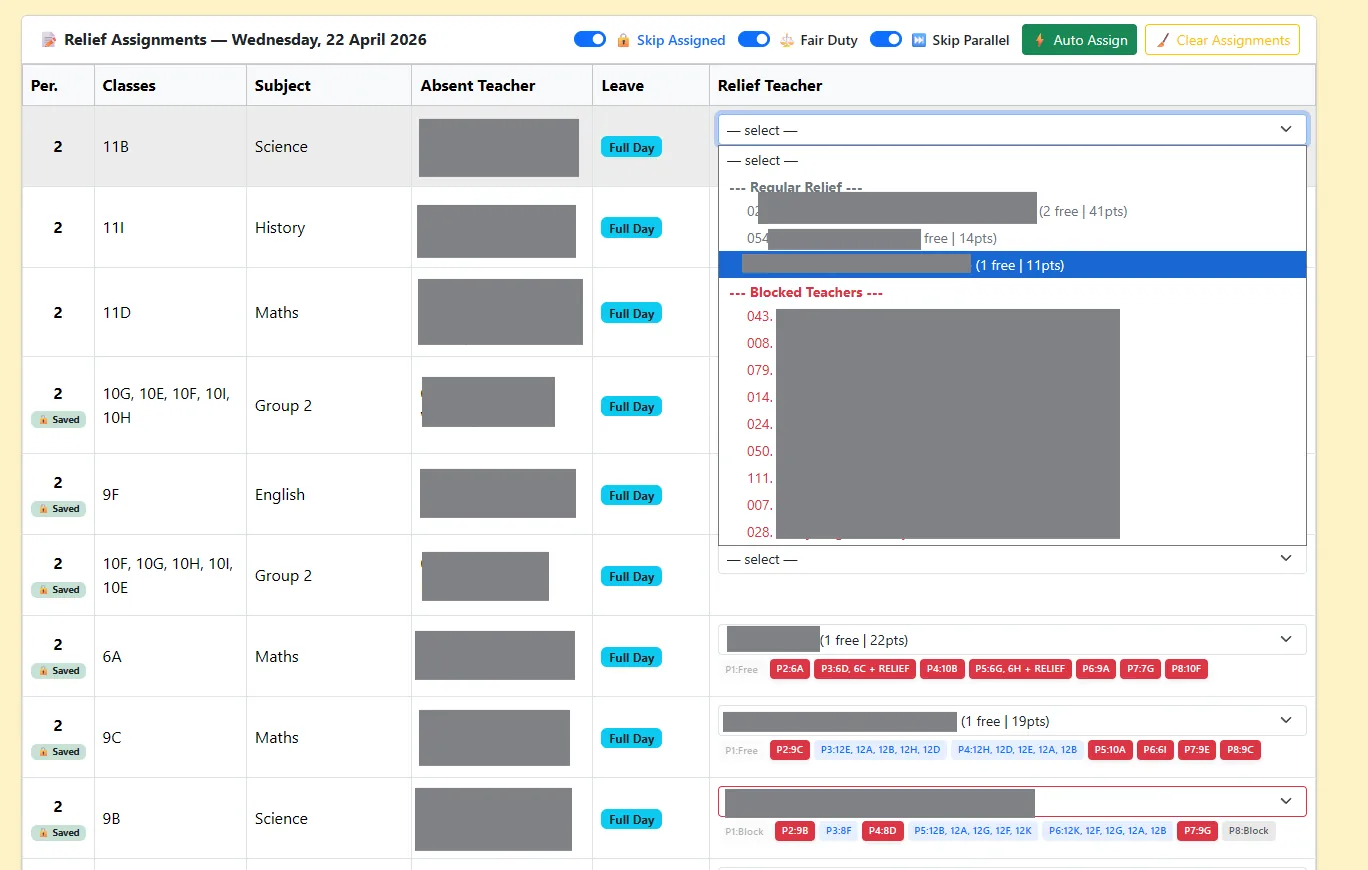
In short: to learn aSc Timetables in Sinhala, work through the 11-part video series below. It starts with installing the software and builds a 2026 Sri Lankan school timetable step by step. Once your timetable is finished, export it as XML and load it into Relief Manager to handle daily relief periods from the same data.
 ASC Time Tables Software Install කරන හැටි | Sinhala Tutorial | School Time Table
What is aSc Timetables?
aSc Timetables is Windows software from Applied Software Consultants that builds a school timetable for you. You enter your teachers, classes, subjects, rooms and the number of periods each subject needs, and the generator arranges everything into a timetable without clashes. It is used in schools around the world, and many Sri Lankan national and provincial schools use it to prepare their yearly timetable.
aSc Timetables is commercial software with a trial version. Check asctimetables.com for the current licence options.
What the Sinhala video series covers
The series by Lakshman Ranjan walks through a 2026 Sri Lankan school timetable from start to finish, in Sinhala. The first lesson shows how to install the software, and later lessons build the timetable step by step. Watching in order is the easiest way to learn, because each lesson builds on the data entered in the one before.
The aSc Timetables workflow in eight steps
Whichever tutorial you follow, a timetable in aSc is built in the same order. Keep this list beside you while you watch.
- Basic school information. School name, academic year, the number of days (Monday to Friday) and the number of periods per day. Most Sri Lankan schools use eight periods.
- Subjects. Enter every subject with a short name, including religion, aesthetic subjects and A/L subjects.
- Classes. Add each class, for example 6A to 13 Arts. Use the same names your school uses on notice boards.
- Classrooms. Add special rooms such as laboratories, the ICT lab and the music room if those lessons must happen there.
- Teachers. Enter each teacher's full name and a short code. These names will later appear on relief slips and WhatsApp messages, so spell them carefully.
- Lessons. For each class, say which teacher teaches which subject and how many periods a week, and whether any are double periods.
- Generate. Run the generator, then fix any lessons it could not place by relaxing a constraint or moving a lesson by hand.
- Print and export. Print class and teacher timetables, and export the timetable file for other systems.
Tips for Sri Lankan school timetables
- Religion and aesthetic subjects. Buddhism, Hinduism, Islam and Christianity, and Art, Music, Dance and Drama, usually run at the same time for a class with students split into groups. Set these up as groups (divisions) of the class so aSc places them together.
- A/L streams. Students from several classes often come together for one subject. Enter these as a lesson shared by several classes.
- The interval. Mark the interval in your period settings so double periods are not split across it.
- Consistent names. Decide on one format for teacher names (for example "K. Silva") and stick to it.
After the timetable: handling relief every day
A finished timetable solves the year. It does not solve the morning when four teachers are absent. aSc Timetables offers its own substitution tools, but many Sri Lankan schools still write relief lists by hand in the staff room before the first bell.
Relief Manager reads your aSc Timetables XML file directly, so the timetable you just built becomes your relief system too. Each morning you mark absent teachers, press Auto Assign, and Relief Manager picks free teachers fairly using rules you set, then notifies them on WhatsApp, SMS or the TeacherSync app.
Read how to export an aSc Timetables XML file, or see how Relief Manager works.
Questions
Is aSc Timetables free?
No. It is paid software with a trial version you can use to learn. Licence prices are on the aSc Timetables website.
Can I follow these lessons with an older version of aSc?
Mostly, yes. The menus have stayed similar for years, so the steps carry over even if your screen looks a little different.
Does Relief Manager replace aSc Timetables?
No. aSc builds the yearly timetable. Relief Manager uses that timetable to manage daily relief periods. They work together.